
Every Recipe at Your Fingertips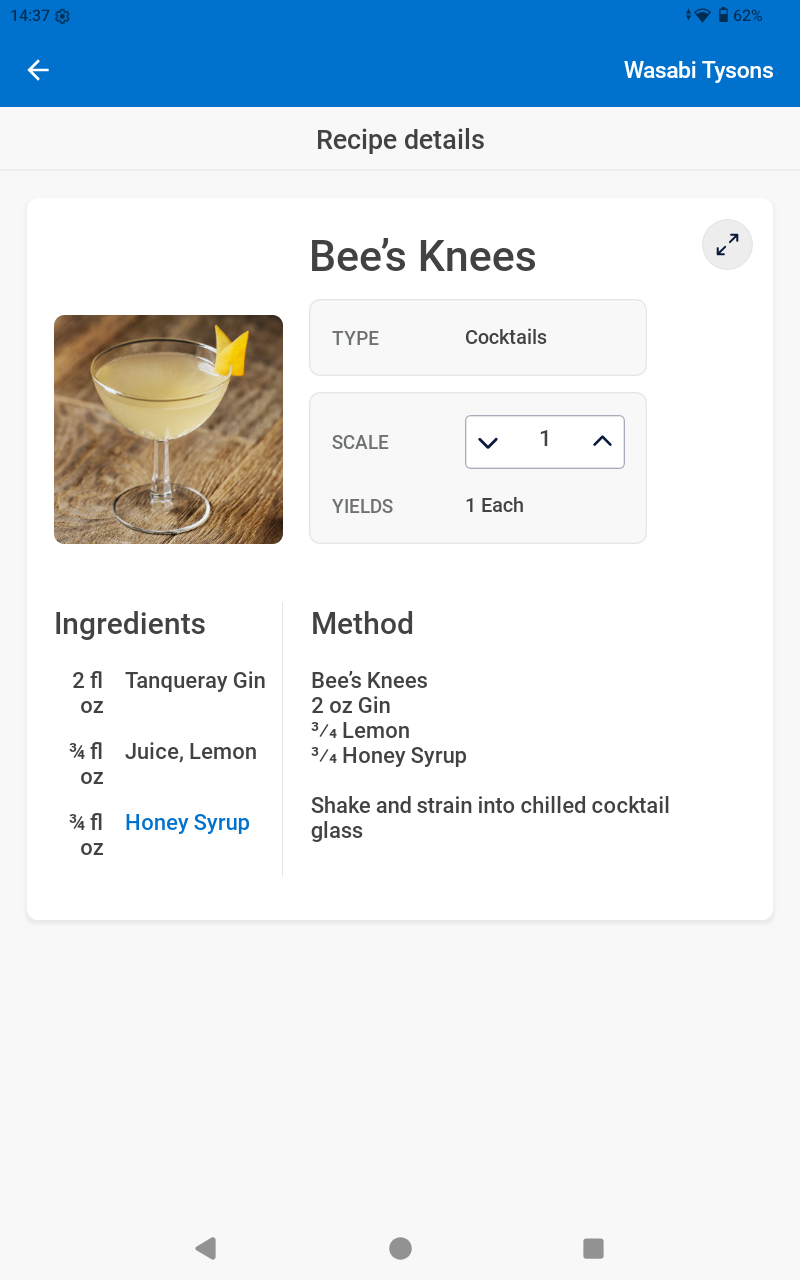
The Recipe Viewer is built right into the MarginEdge mobile app. It is specifically designed to be used in the kitchen and is formatted for viewing on a mobile device, ipad or tablet. it displays all the recipe information line cooks need in the kitchen: ingredients, equipment, instructions, and pictures without the pricing.
- Easily search recipes
- Scale the recipe as needed
- Stay in sync across stores and devices
- All prices & costs removed
- Switch between English, French and Spanish translations
Portion and prep consistently.
Visually train new staff with line-friendly reference photos and videos of prep techniques (in English, French or Spanish). Our mobile & tablet-friendly Recipe Viewer allows staff to access recipe instructions and scale recipes as needed. Prices and costs are removed.
How to access the Recipe Viewer
This is a default feature in your [me] Mobile App so can be used on any device that can install the mobile app. The recipe viewer really shines from within the Shared Device Mode on a kitchen tablet! Once this is enabled on a tablet or smartphone, your team will use a login pin to view recipes, upload invoices, take inventory, and record waste — all without accessing any sensitive financial information.
PROTIP: Find a refurbished tablet for cheaper since you know it may get a bit grimey!
Learn More about setting up a Shared Device Tablet
From Your Mobile App
From the lower navigation, click on "More" and then "View Recipes"
Quickly and easily search recipes from the search bar.
And scale with ease for big prep days!
PROTIP: You can rotate a tablet to have it show the recipe in landscape view with ingredients and method side-by-side for easy cooking
Read more: Setting up a Shared Device Tablet
Recipes in French or Spanish
If you want to see your recipes in French or Spanish, you can adjust your settings for automatic translation!
- If you are using the Shared Device Mode, just click on Spanish or French on the PIN login screen.
-
From within the MarginEdge app, you can adjust your preferred language in your personal settings.
Instructions are here: Your Personal User Account Settings