
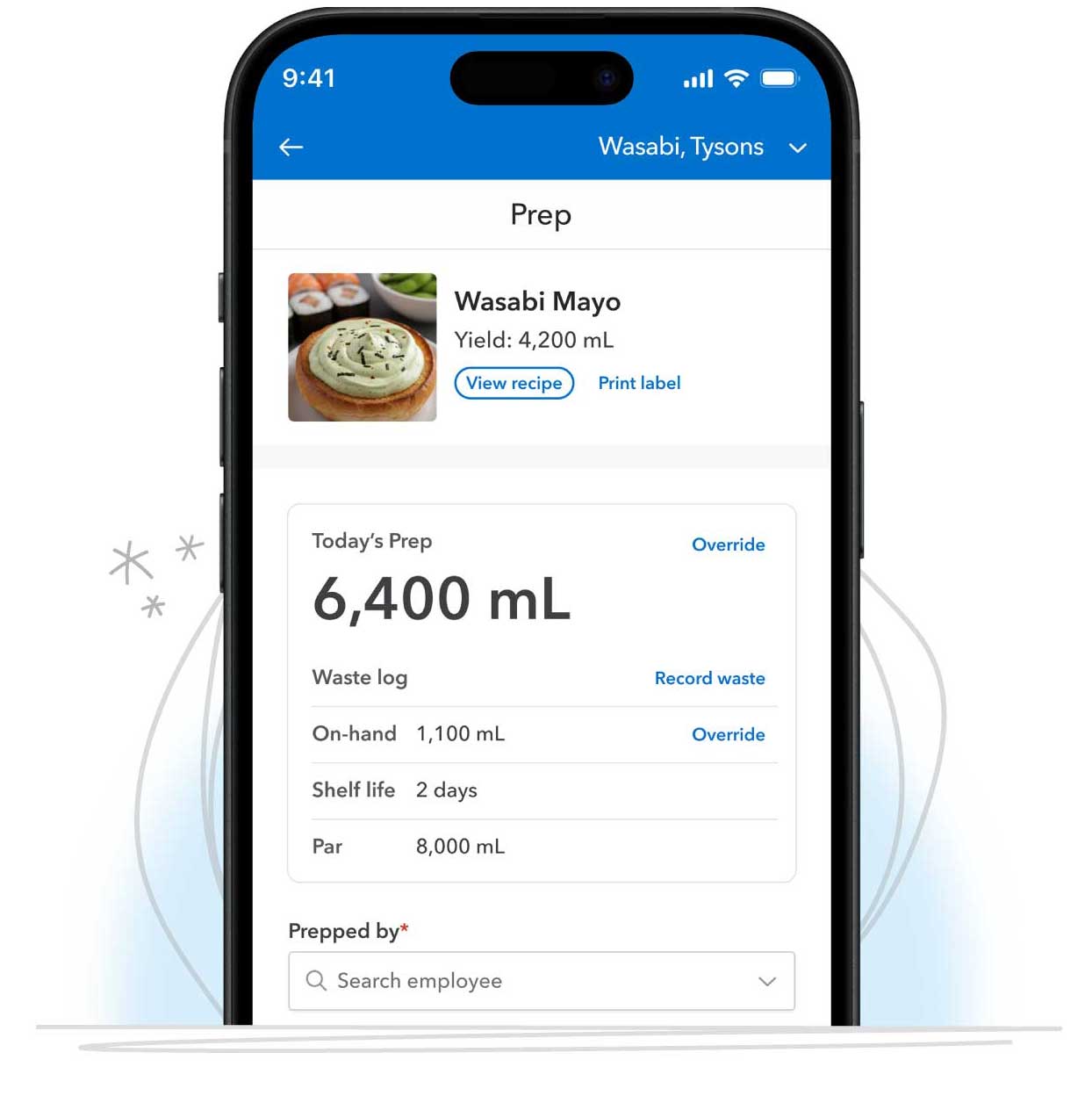
 SmartPrep turns your sales forecast into a daily prep plan — so your kitchen knows exactly what to prep, when, and how much. It connects forecasting, prep lists, checklists, and labeling into one system, so prep is consistent, trackable, and based on real demand instead of guesswork.
How SmartPrep helps
Most kitchens are still guessing. Prep too little and you're 86'ing mid-service. Prep too much and you're throwing profit in the trash. SmartPrep replaces the guesswork with a clear plan. With it, your team can:
Prep the right amount every day, based on real demand
Cut waste and avoid surprise 86's
Standardize prep across shifts and locations, and see what's done in real time
It's the difference between reacting during service and walking in already prepared.
SmartPrep is a strong fit if you: manage prep across shifts or multiple locations; struggle with over-prepping or running out mid-service; or want more consistency and accountability in the kitchen.
Article Contents
- How it Works
- What SmartPrep setup looks like
- Pricing & Access
- Label Printing
- Hardware Bundles
- Common questions
How it Works
SmartPrep brings the moving parts of prep into one daily workflow and gets smarter with use:
It starts with your sales forecast, so the kitchen can plan ahead on what to prep.
That plan becomes organized prep lists and checklists that your team uses during prep.
As tasks get completed, managers see what's finished, what's outstanding, and where follow-through is slipping.
SmartPrep connects to a label printer to print dissolvable labels with prep details and expiration dates based on each recipe's shelf life.
Over time, SmartPrep learns. After two days of using SmartPrep, it begins predicting how much to prep each day and adjusts as your forecast changes.
Want a hands-on demo of SmartPrep? Schedule one here.
What SmartPrep setup looks like
Most teams are up and running in five moves. The full walkthrough lives in the Admin Setup Guide, but here it is at a glance:
Step |
What you do |
Where |
1. Shared device |
Authenticate a kitchen tablet with a PIN |
Setup → Shared Devices |
2. Employees |
Confirm the staff names that appear in SmartPrep |
Labor → Employees |
3. Prep list + pars |
Build (or AI-import) your prep list, set yields, schedule it, and add pars |
SmartPrep → Prep List |
4. Checklists |
Build recurring line checks or opening/closing checklists |
SmartPrep → Checklist |
5. Label printer |
Connect the label printer and print your first label |
From any recipe → Settings → Printers |
You're considered fully set up when: a shared device is activated, a prep list is scheduled with pars added, and your label printer is connected. These three together are what unlock predictions and the full SmartPrep experience.
Pricing & Access
SmartPrep is $95/month per location. Users with [me]Admin or Billing Contact permissions can add it to eligible locations directly from the in-app self-serve upgrade flow.
Label Printing
SmartPrep works with the Zebra ZD411 label printer. It connects over Bluetooth and prints dissolvable labels with prep details and expiration dates based on each recipe's shelf life, so your team stays compliant and organized and can follow FIFO. Once the printer is connected, staff print labels during prep or directly from a recipe.
Don't have a printer yet? You can buy a compatible ZD411 from any vendor, or get one as part of a SmartPrep hardware bundle — see Hardware bundles below.
Hardware Bundles
Hardware isn't required to use SmartPrep, but it makes the experience even better. Choose the setup that fits your kitchen — from a simple label printer to a full tablet station.
Two bundles are available after adding SmartPrep to your subscription:
| Bundle | What's Included | Price |
|---|---|---|
| Just the Essentials | Zebra ZD411 label printer + dissolvable labels | $450 USD |
| Complete Bundle | Zebra ZD411 label printer + dissolvable labels + tablet + case + stand | $950 USD |
| *Bundles are a one-time fee per location, shipping is included. | ||
- Zebra ZD411 label printer — Connects over Bluetooth to your shared device. No cables or drivers to manage.
- Roll of 2,000 Dissolvable labels — Break down in water, so containers come off the line and go straight back into rotation (2.2" x 1")
-
Tablet with case and stand — creates a dedicated station right where you need it
- Samsung Galaxy tablet
- Armor-X protective case (keeps the tablet safe from drops and spills in a kitchen environment)
- iBOLT TabStand Pro (a countertop stand that holds the tablet upright and secure)
How to order
- From the SmartPrep hardware page, select "Explore Hardware Options".
- Pick your bundle from the Hardware type dropdown.
- Enter the shipping details for the location receiving the hardware.
- Submit the request — our team will confirm your order by email.
Ordering for more than one location? Submit a separate request for each, since hardware is priced and shipped per location.
Already have a ZD411? Skip the bundle. Connect it during setup and you're good to go!
Common Questions
Is this only for large kitchens?
No. Any team that wants to reduce waste and improve consistency benefits.
Do I need Forecasting set up first?
Yes. Sales forecasts are already calculated for your account and should be turned on. If you prefer to forecast outside MarginEdge, you can import yours on the performance tab under the sales forecasts tab. You do need to have forecasting on in some way for SmartPrep to really predict your pars.
Do I need to build Recipes first?
No. When you build your prep list, SmartPrep helps you upload or create the recipes you need, which you can finalize before your first scheduled prep.
What if my prep changes daily?
That's the point. Once predictions kick in (after 1–2 weeks of tracking on-hand vs. pars), SmartPrep adjusts with your forecast so the plan stays relevant.
Do I have to buy the hardware bundle?
Nope! Hardware is optional. If you already have a Zebra ZD411 and a tablet, connect them and skip the bundle entirely.
Is the hardware included in the $95/month?
No — hardware is a separate one-time purchase per location. The $95/month covers SmartPrep itself.
Can I start with Just the Essentials and add a tablet later?
Yes. Submit a new hardware request whenever you're ready.
Can I use a different label printer?
SmartPrep is built for the Zebra ZD411. Any compatible ZD411 works, no matter where you bought it.
Prep with confidence 💪No more guessing. No more last-minute scrambling. SmartPrep helps your team walk into every service knowing exactly what to do. |